Sword Vs Platforms Links Hub
Official destinations plus every major section of this fan wiki.
Official destinations
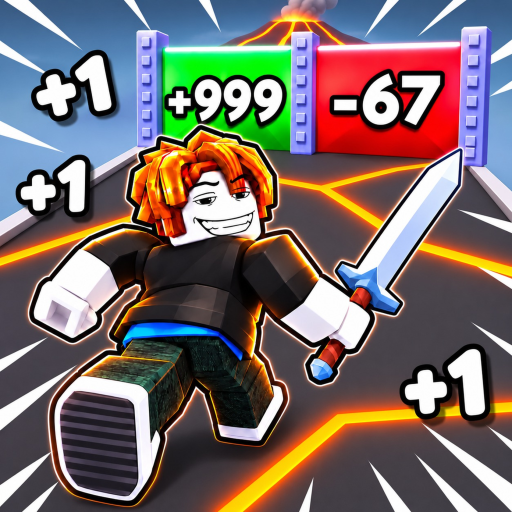
Sword Vs Platforms (listed on Roblox as +1 Sword Vs Platforms) is an incremental simulator by 100ccu bro. Use these official entry points first—then jump into wiki guides for routing.
Play the game
- Sword Vs Platforms on Roblox — Place ID
96222041874857. Supports phone, tablet, desktop, and console. Server size 10.
Developer community
- 100ccu bro on Roblox — Join for announcements, group presence, and update chatter tied to the experience.
Like and favorite the place if you want the game to stay discoverable. Small CCU titles live and die by attention as much as by patch quality.
What this wiki covers
This site is a fan-made Roblox wiki for codes, progression, tiers, and patch notes. It is not an official 100ccu bro product. Mechanics can change after World drops and admin events—verify in-game when numbers disagree.
Released 27 September 2026. Core loop: clear platforms, fight enemies, train strength, earn Wins. Headline event coverage includes World 3 + Free Admin Loot.
Wiki section map
Codes and scripts
- Codes Hub — active promo list mindset and reward notes
- How to redeem codes — UI steps
- Scripts Hub — optional tooling discussion with account-risk awareness
Tier lists
- Tier List Hub — S/A/B/C progression frameworks
- Sword upgrade priority — when to buy vs train
- Training zone priority — pad and activity ranks
Guides
- Guides Hub — full tutorial index
- Getting Started — day-one route
- How to train strength
- How to get Wins
- Boss fights
- Controls
Players and culture
- Players Hub — 10-player etiquette and leaderboard mindset
- Progression tips — advanced session routing
Updates
- Updates Hub — patch map
- World 3 + Free Admin Loot — frontier + event ops guide
How to use official links with this wiki
- Open the Roblox game page for events, likes, and launch.
- Join the 100ccu bro community so you see group-side news.
- After any announcement, return here: redeem codes, rerank via tier lists, and adjust progression tips.
- During live admin loot, prioritize collecting, then convert into Wins before shopping randomly.
Safety and authenticity notes
- Never give passwords, session cookies, or Robux to “admins” in chat. Real staff do not need your login.
- Prefer links on this page and the Roblox domains above. Random discord “free Wins” sites are usually scams.
- Scripts and executors can cost accounts—read Scripts skeptically.
- This wiki may lag a patch by hours; the live experience is always the authority.
Quick facts card
| Fact | Detail |
|---|---|
| Title | Sword Vs Platforms (+1 Sword Vs Platforms) |
| Creator | 100ccu bro |
| Release | 2026-09-27 |
| Genre | Incremental simulator |
| Loop | Platforms, enemies, training, Wins |
| Server size | 10 |
| Devices | All major Roblox clients |
| Community | Group 629655530 |
| Play | Roblox experience |
Contributing mindset (readers)
If a code dies, a World gate changes, or a training pad moves, cross-check Updates and adjust your personal notes. Sharing accurate redeem steps and polite lobby habits helps more than dumping unverified spoiler tables.
Bookmark this Links Hub, the Codes page, and the World 3 article during event weeks. That trio covers launch, rewards, and frontier ops for most players.
Related reading to start now
New: Getting Started. Returning: Updates. Optimizing: Tier List and Progression tips. Need the live place again? Use the Roblox link at the top of this page.
Frequently Asked Questions
Quick answers to the most common Sword Vs Platforms questions.
Is this wiki official?
No. It is a fan-made guide site. Official destinations are the Roblox game page and the 100ccu bro community linked above.
Where do I play Sword Vs Platforms?
Open the Roblox experience at place 96222041874857 via the official game link on this page.
What is the developer group link?
Join 100ccu bro at https://www.roblox.com/communities/629655530 for community updates tied to the game.
Which wiki page should I open after an update?
Start at the Updates Hub, read any new child patch page such as World 3, then rerank using Tier List and Progression Tips.